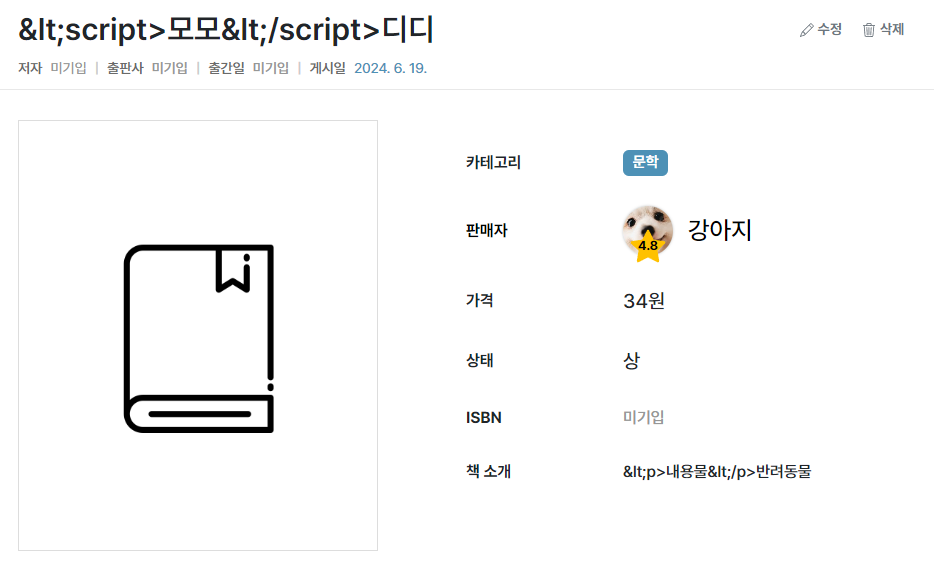
sanitize-html
✒️ 2025-05-26 14:10 내용 수정
sanitize-html
XSS 공격을 막기 위한 패키지
- 공식 문서 : https://www.npmjs.com/package/sanitize-html
- XSS(Cross Site Scripting) : 사용자가 사이트에 의도적으로 악성 스크립트를 삽입하는 공격
- input 태그 등을 통해 글을 업로드할 때 스크립트가 포함된 내용을 올려 스크립트가 실행되도록 할 수 있기 때문에 주의해야 한다.
- XSS(Cross Site Scripting) 참고.
- sanitize(소독)의 의미대로 문자열을 sanitize-html 함수에 적용하여 허용하지 않는 태그나 스크립트를 제거할 수 있다.
npm install sanitize-html
- 브라우저와 서버 둘 다 적용할 수 있지만 공식 문서에선 서버에 적용하는 것을 권장하고 있다.
- 서버는 절대 브라우저를 믿으면 안된다는 설명이 있다.
- 예시에선
<script>location.href = 'http://test.com/'</script>에 sanitize-html을 적용하면location.href = 'http://test.com/'만 남는다.
const sanitizeHtml = require('sanitize-html');
const html = "<script>location.href = 'http://test.com/'</script>";

// sanitizeHtml을 적용하면 html의 <script> 부분이 제거된다
console.log(sanitizeHtml(html)); // location.href = 'http://test.com/'
- 공식 문서의 내용처럼 특정 태그와 attribute를 허용하도록 설정할 수 있다.
allowedTags와allowedAttributes를 따로 설정하지 않으면 기본 list가 적용된다.- 기본 리스트는 공식 문서를 참고.
- 설명의
allowedIframeHostnames항목도 존재하는데, 이전에 다른 개인 프로젝트에서 youtube 영상을 링크로 가져오는 API를 사용한 적이 있었다. - iframe은 보안 문제가 있을 수 있어 이를 막거나 허용하는 기능을 추가한 것으로 보인다.
const sanitizeHtml = require('sanitize-html');

// b, i, em, strong, a 태그와 a 태그의 href attribute를 허용
// Iframehost 허용도 가능하다
const clean = sanitizeHtml(dirty, {
	allowedTags: [ 'b', 'i', 'em', 'strong', 'a' ],
	allowedAttributes: {
		'a': [ 'href' ]
	},
	allowedIframeHostnames: ['www.youtube.com']
});
- 만약 모든 태그와 attribute를 허용하고 싶다면
allowedTags와allowedAttributes를 하나만, 혹은 둘 다false로 설정한다.
const sanitizeHtml = require('sanitize-html');

// 모든 태그와 attribute를 허용
const clean = sanitizeHtml(dirty, {
	allowedTags: false,
	allowedAttributes: false
});
- 이 외에도 CSS 스타일 적용을 위한 클래스 허용, 스타일 허용 등의 예시 코드들이 공식 문서에 존재하므로 각 내용을 참고해서 적용하면 된다.
- 이제 sanitize-html을 middleware로 만들어 브라우저에서 들어오는 값을 소독하여 불필요한 script를 걸러내도록 한다.
- 챗GPT의 도움으로 매개변수가 문자열, 객체, 배열이 들어올 때 sanitize 처리하는 함수를 작성했다.
req.query,req.params,req.body값이 각각 존재하면 middleware에서sanitizeObject()를 호출해서 태그와 attribute를 걸러낸다.
// sanitize.js
const sanitizeHtml = require('sanitize-html');

// 문자열, 객체, 배열이 들어오면 sanitize(소독)을 진행하는 함수
const sanitizeObject = (obj) => {
    if (typeof obj === 'string') { // 문자열
        return sanitizeHtml(obj);
    } else if (Array.isArray(obj)) { // 배열 - Array.isArray()는 배열 확인 함수
        return obj.map(item=>sanitizeHtml(item));
    } else if (typeof obj === 'object' && obj !== null) { // 객체
        // 해당 객체의 모든 열거 가능한 properties를 순회
        for(let prop in obj) {
            if(obj.hasOwnProperty(prop)) { // 객체 자신의 속성만 검사
                obj[prop] = sanitizeHtml(obj[prop]);
            }
        }
    }
    return obj;
}

// sanitize middleware
exports.sanitizeMiddleware = (req, res, next) => {
    if (req.query) { // req.query sanitize
        req.query = sanitizeObject(req.query);
    }

    if (req.params) { // req.params sanitize
        req.params = sanitizeObject(req.params);
    }

    if (req.body) { // req.body sanitize
        req.body = sanitizeObject(req.body);
    }

    next();
}
- 제대로
sanitizeHtml가 적용되는지 확인하기 위해 팀 프로젝트에서 사용한 GET 요청 중input을 받는 검색 기능에서 테스트를 진행했다.- 팀 프로젝트에서 만든 검색 기능은 특정 문자열을 대소문자 구분 없이 포함하는 경우의 데이터를 출력한다.
<script>태그를 포함한 내용을 입력하고 검색했을 때ㅁㄴ를 포함하는 데이터가 출력된다.
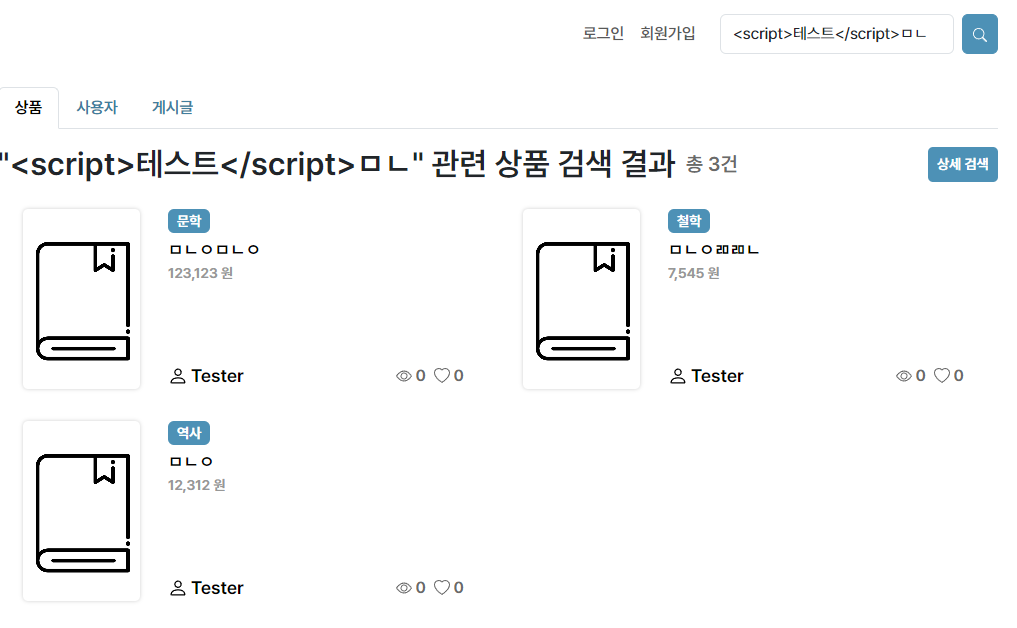
-
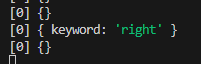
console.log에서req.query를 확인해본 결과<script>테스트</script>부분이 제거된 것을 확인할 수 있었다.
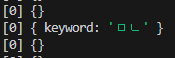
-
위 데이터와 비교를 위해 이번엔
right를 추가했는데, 현재 DB엔right를 포함하는 데이터가 없어 검색 결과가 없다.
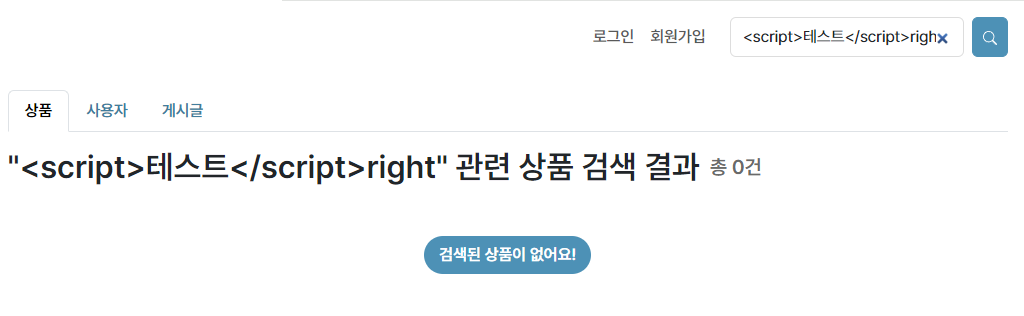
-
console.log에서req.query를 확인해본 결과<script>테스트</script>부분이 제거된 것을 확인할 수 있었다.
-
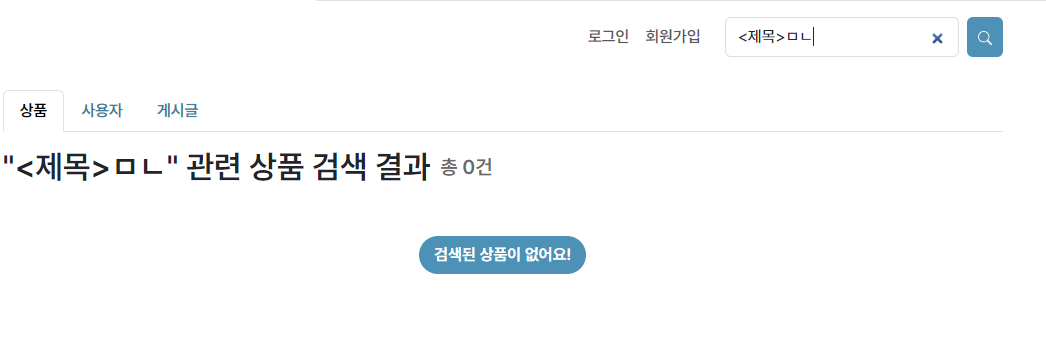
만약
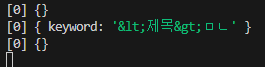
<제목>처럼 실제 태그가 아닌 문자열을 검색할 때는<>구문이 제거되지 않는다.sanitize-html의 설정을 적용한다면 제거할 수 있을 것 같다.
console.log에서req.query를 확인해본 결과<제목>문자열이 특수 문자 entity로 변경되어 있는 것을 확인할 수 있었다.
req-sanitizer
req.body Object sanitize middleware
- 공식 문서 : https://github.com/peerquery/req-sanitizer
sanitize-html을 사용하여 테스트하던 중req.body는 sanitize 결과가 null로 들어와서 원인을 찾고 있었다.body-parser설정이 되어 있어req.body도 사용할 수 있는데req.query와req.params는 적용되어도req.body만 값이 null로 떴다.- 검색하던 중
req-sanitizer라는req.bodysanitizer middleware가 있어 이를 적용시켰다.
npm install --save req-sanitizer
const reqSanitizer = require('req-sanitizer');

// form 데이터 파싱
const bodyParser = require('body-parser');
const parseForm = bodyParser.urlencoded({extended: false});

// 다른 req 함수나 router 이전에 마운트해야 함
app.use(reqSanitizer());
- 팀 프로젝트에 적용하여 잘 작동하는지 테스트하기 위해
<script>처럼 태그가 포함된 input을 작성해 요청을 보냈다.
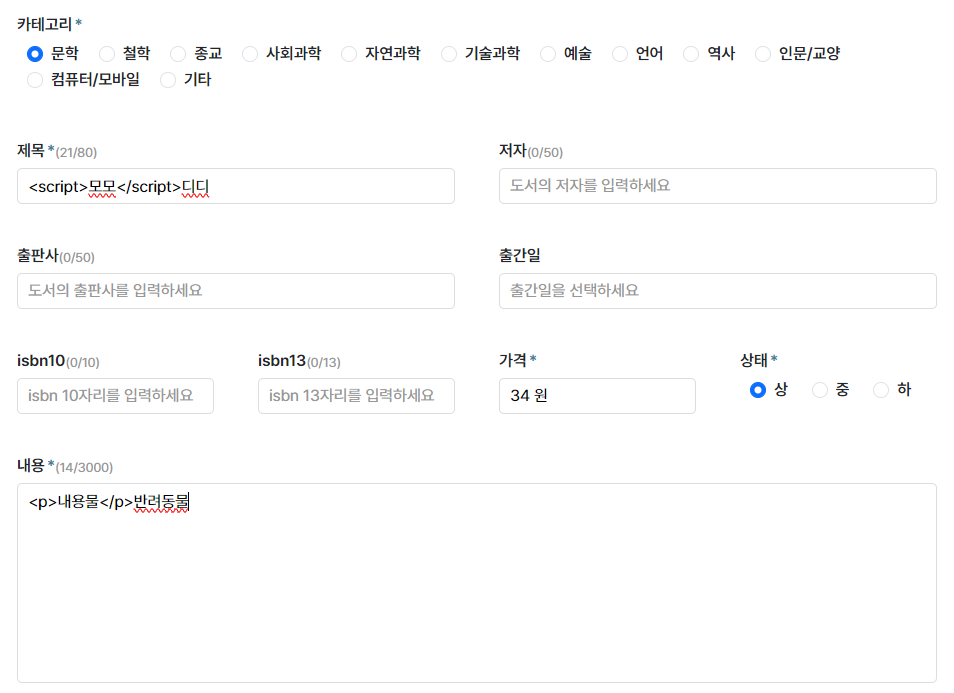
- 실제 요청이 전달된 결과
<script>가<script>로 특수문자 엔티티가 섞인 형태로 변형되었다.